Case Converter Chrome Extension
Install the Case Converter Chrome extension to quickly convert text between 18 different case formats directly in your browser.
Case Converter – Transform Text Case in One Click
📥 Install from Chrome Web Store
Instantly switch between 14+ text case formats with a single click. Whether you’re coding, writing, or posting online, Case Converter makes text formatting quick, easy, and consistent.
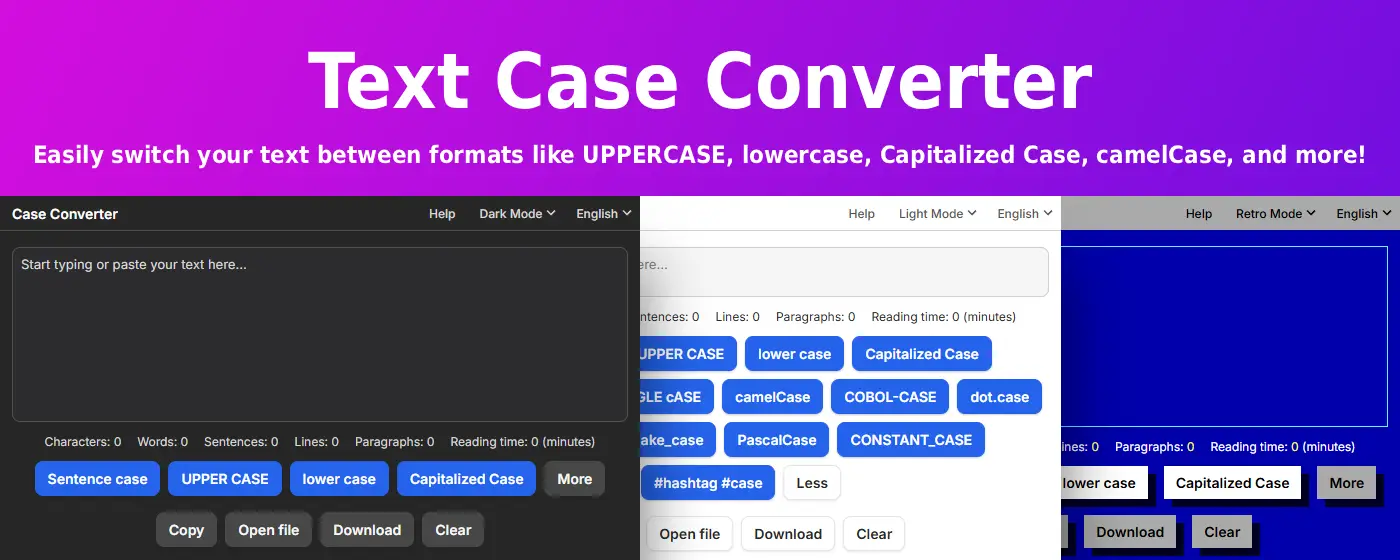
14+ Supported Case Formats
Writing & General Use
- Sentence case – Capitalizes only the first word of each sentence
- UPPER CASE – Converts all letters to uppercase for emphasis
- lower case – Converts all letters to lowercase for simplicity
- Capitalized Case – Capitalizes the first letter of every word (Title Case)
- aLtErNaTiNg cAsE – Alternates between uppercase and lowercase letters
- tOGGLE cASE – Reverses the case of each letter
Programming & Development
- camelCase – Joins words with lowercase first word and capitalized inner words
- PascalCase – Like camelCase, but the first word is also capitalized
- snake_case – Joins words with underscores in all lowercase
- kebab-case – Joins words with hyphens in all lowercase
- dot.case – Joins words with dots in all lowercase
- COBOL-CASE – Joins words with hyphens in all uppercase
- CONSTANT_CASE – Uses underscores and uppercase letters throughout
Social Media
- #hashtag #case – Turns words into lowercase hashtags
Key Features
🚀 Lightning Fast Conversion
- Instant transformation – Convert text between any format with one click
- Real-time preview – See changes as you type
- Batch processing – Convert large blocks of text at once
- No delays – Works instantly without loading times
📋 Powerful Input/Output Options
- Copy to clipboard – One-click copy for immediate use
- File upload – Open and convert text files directly
- Download as .txt – Save converted text for later
- Clear instantly – Reset your workspace with one click
🎯 Developer-Friendly
- Variable naming – Quickly convert between camelCase, snake_case, and PascalCase
- Constant formatting – Transform text to CONSTANT_CASE or COBOL-CASE
- Code formatting – Perfect for refactoring and naming conventions
- Multi-format support – All major programming case styles included
🔒 Privacy Focused
- Local processing – All conversion happens in your browser
- No data collection – We never see or store your text
- Offline capable – Works without internet connection
- Zero tracking – No analytics or third-party scripts
Perfect For
Developers & Programmers
- Converting variable names between conventions
- Formatting constants and function names
- Refactoring code with consistent naming
- Creating API endpoints and database fields
Writers & Content Creators
- Formatting titles and headings
- Converting all-caps text to readable case
- Creating consistent headline styles
- Fixing accidentally toggled caps lock text
Social Media Managers
- Generating hashtags from phrases
- Formatting post content
- Creating consistent brand voice
- Converting text for different platforms
Students & Researchers
- Formatting citations and references
- Converting notes between styles
- Creating consistent document formatting
- Fixing copy-paste formatting issues
Common Use Cases
Code Refactoring
my awesome variable  →  myAwesomeVariable (camelCase)
my awesome variable  →  MyAwesomeVariable (PascalCase)
my awesome variable  →  my_awesome_variable (snake_case)
my awesome variable  →  MY_AWESOME_VARIABLE (CONSTANT_CASE)
Content Formatting
SHOUTING TEXT        →  Shouting Text (Capitalized)
random CaPiTaLs      →  random capitals (lowercase)
untitled document    →  Untitled Document (Title Case)
Social Media
trending topic now   →  #trending #topic #now (hashtag case)
brand announcement   →  BRAND ANNOUNCEMENT (UPPERCASE)
Why Choose Case Converter?
⚡ 14+ Formats – The most comprehensive case converter available
🎯 One-Click Conversion – No complex menus or settings
💼 Professional Grade – Built for developers and content professionals
🔓 Always Free – Full functionality with no premium tiers
🛡️ Privacy First – Your text never leaves your browser
How It Works
- Enter or paste text – Type directly or upload a file
- Choose your format – Select from 14+ case options
- Instant conversion – See results immediately
- Copy or download – Use your formatted text anywhere
Pro Tips
For Developers:
- Use kebab-case for CSS class names and file names
- Use snake_case for Python variables and functions
- Use camelCase for JavaScript variables
- Use PascalCase for React components and class names
- Use CONSTANT_CASE for environment variables
For Writers:
- Use Sentence case for natural, readable content
- Use Capitalized Case for titles and headings
- Use lowercase for email addresses and usernames
- Use UPPERCASE sparingly for emphasis
🚀 Install now and never manually retype text case again!
Quick Start Guide
- Click the extension icon in your Chrome toolbar
- Enter your text – Type, paste, or upload a file
- Select case format – Choose from 14+ options
- Copy or download – Get your formatted text instantly
No registration required. No learning curve. Just instant, accurate case conversion.
Keyboard Shortcuts Coming Soon! We’re working on adding keyboard shortcuts to make conversion even faster. Stay tuned for updates!